News
Tesla Full Self-Driving attempts 150-mile stress test: the good and the bad

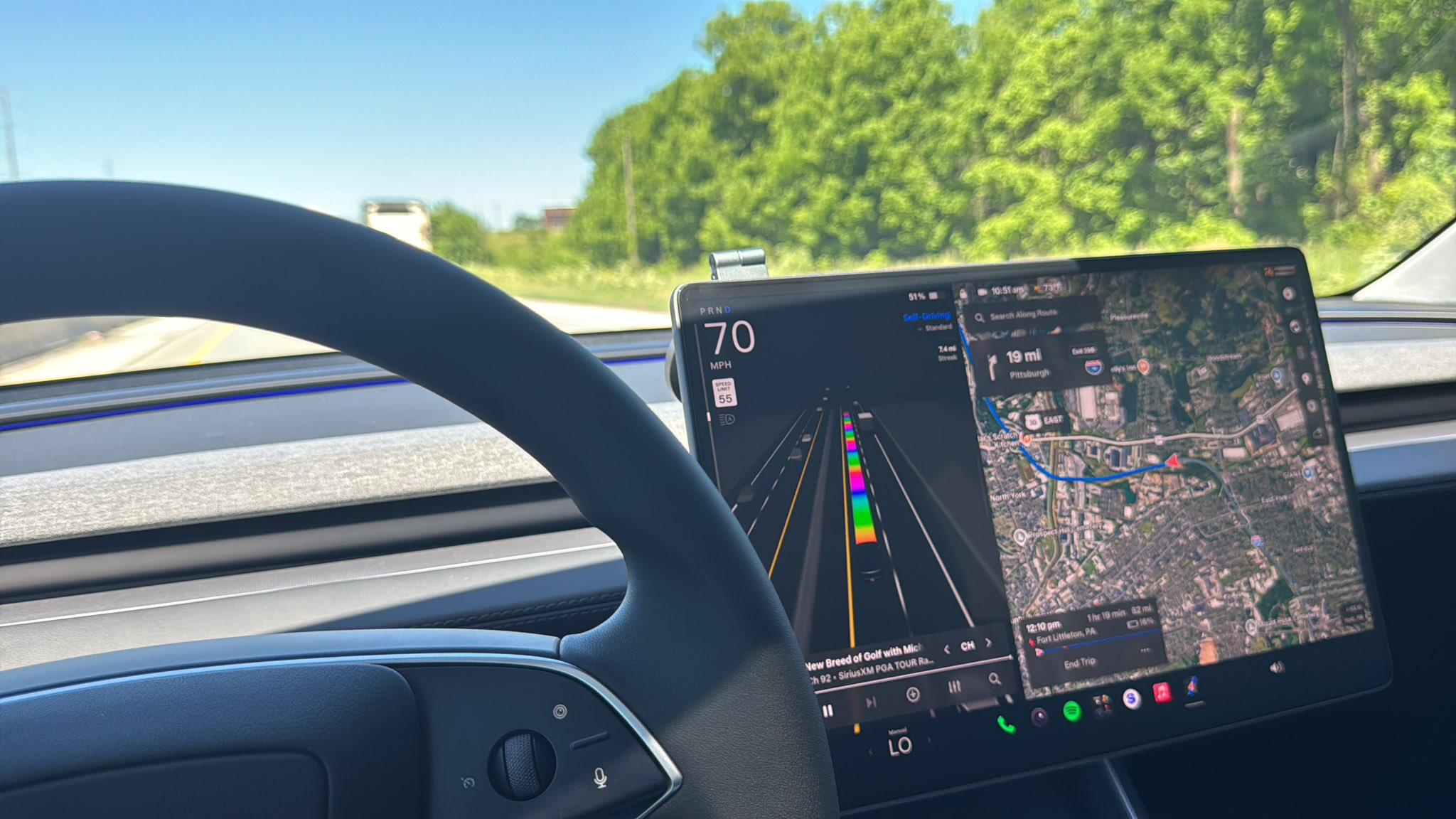
I recently took my Tesla Model Y running Full Self-Driving (Supervised) v14.3.3 over 150 miles on the Pennsylvania Turnpike in an effort to truly put the system under a stress test. There were a lot of good moments, and some bad, but overall, Full Self-Driving impressed me.
Last Thursday, I decided it was time to visit the Flight 93 National Memorial near Shanksville, PA. I go a few times a year, and it was a beautiful day. Others have taken some pretty lengthy drives using FSD, but I haven’t had the opportunity to really do something lengthy in quite a few months on an older version. I decided it was the perfect opportunity to try some things out.
I recorded the entire ride there on a GoPro, edited to highlight the crucial moments, and shared them on our social media accounts. If you want to watch them, I’ll share them throughout the piece, but I did not get to do a real breakdown of what I felt about its performance.
Overall Thoughts
I realize it is probably better to do a summation of its performance toward the end of the piece, but I feel like it is also reasonable to lead with this because I was overly impressed with how well it handled everything. The only moments where I felt a little bit of reason to touch the wheel, at least while traveling on the Turnpike and Rt. 30, were due to other drivers and their behaviors.
I have taken many drives to the Memorial over the past several years, and although it’s not incredibly long, it is a tiring drive. It’s about five hours both ways, close to 300 miles, and I think most of the exhaustion comes from the toll of sitting in the car and then visiting something that is pretty heavy to take in.
This was the first time I’ve ever taken the ride and not felt like I needed to avoid my vehicle after I got home. In the past, I could not even think about driving after I finally arrived at my house, but this was simply different.
It was nice to have something else take the drive for me, while I still had the freedom to take over if I chose to. It made the entire trip more enjoyable.
Full Self-Driving Recognizes Lane-Ending Arrows on Road
After traveling in the fast lane for a little while, FSD noticed the arrows on the road indicating the lane was coming to an end ahead. The car was also in the process of making a pass on a slower vehicle in the middle lane, but aborted this maneuver and backed off to get behind the vehicle.
I was really impressed by this because I thought that the car would absolutely try to make the pass, only to get in front of the other car, and then slow back down to 75 MPH:
WATCH: Tesla Full Self-Driving v14.3.3 recognizes lane-ending arrows, aborts pass of slower traffic, and gets in line https://t.co/1dxvTOw5Cn pic.twitter.com/SOpuj9ZHyP
— TESLARATI (@Teslarati) June 2, 2026
Full Self-Driving Notices Veering Tractor Trailer, Adjusts Lane Positioning
My two rules of the road are never cruise in the fast lane and never drive next to a tractor-trailer. This clip is a perfect example as to why.
FSD v14.3.3 recognized this tractor-trailer attempting to change lanes while we were still next to it. The car shifted its lane positioning to the shoulder slightly to make room for the merging semi, executed the pass safely, and on we went.
I will admit this one made me a little nervous, but more so because of the 18-wheeler, and not because of the Tesla:
WATCH: Tesla Full Self-Driving v14.3.3 notices tractor-trailer veering into lane, shifts lane positioning to create space, completes pass safely https://t.co/1dxvTOw5Cn pic.twitter.com/E35UrP79CH
— TESLARATI (@Teslarati) June 2, 2026
Full Self-Driving Follows the Rules of Tunnel Travel
Many people who are not familiar with Full Self-Driving and its capabilities are pretty limited in what they know about the really simple things it does well. Part of supervising FSD is being aware of things it might make mistakes with, and anticipating maneuvers it might want to make at the wrong time.
Entering the Blue Mountain Tunnel on the Turnpike, I was ready for FSD to attempt to get back into the right lane after making a pass on a tractor-trailer, but I was pleasantly surprised. Several signs outside the tunnel advise drivers to stay in the lane they’ve chosen while driving through the tunnel; this eliminates the possibility of an accident caused by lane changes, which would impede traffic on a crucial logistics route.
I was happy to see that Tesla Full Self-Driving v14.3.3 did not make this mistake:
WATCH: Tesla Full Self-Driving follows rules of tunnel travel, recognizes double lines, and does not change lanes https://t.co/1dxvTOw5Cn pic.twitter.com/L6eEP5bCE9
— TESLARATI (@Teslarati) June 2, 2026
Full Self-Driving Navigates Toll Plazas with Ease
I was interested to see how FSD would handle toll plazas, including the speed at which it would travel through them, and whether it would stop on the Turnpike at these booths, which have since been transitioned to a “Toll by Plate” system, which mails you a bill.
It was flawless:
WATCH: Tesla Full Self-Driving v14.3.3 seamlessly handles toll plaza, smoothly merges back onto Turnpike https://t.co/1dxvTOw5Cn pic.twitter.com/XmwY7rkj9J
— TESLARATI (@Teslarati) June 2, 2026
Full Self-Driving Still Struggles with Parking from Time to Time
Since I took delivery in late August, I’ve never had a single instance of my Tesla struggling to park at a Supercharger. Other spots at the mall, market, or gym are another story.
This was the first time it did such a terrible job of backing into a spot. This required me to take over and manually park at another charger:
Tesla Full Self-Driving v14.3.3 had trouble backing into the Fort Littleton, PA Supercharger, even though it was the only vehicle there.
This required manual parking. https://t.co/1dxvTOw5Cn pic.twitter.com/7xgqH2Z0ye
— TESLARATI (@Teslarati) June 2, 2026
Full Self-Driving Gets Confused After Arriving at Its Destination
This was the first time I have ever experienced FSD getting confused and just circling the lot. The navigation continued to reroute to try to resolve the issue, but after four laps, I decided it was time to overtake the car’s controls and park manually:
Experienced the same thing a few days ago
I think one of the big features a lot of people would appreciate is parking preferences or spot selection https://t.co/RCVwUOMxoY pic.twitter.com/U9f1wW2np9
— TESLARATI (@Teslarati) May 31, 2026
This was a baffling behavior that I truly couldn’t explain. Other owners communicated that they have also experienced this issue.
Final Thoughts
I am so incredibly impressed by FSD that it has really made traveling stress-free. The two issues related to parking were not ideal, but to be fair, I usually take over when arriving at parking lots. However, this shortcoming is something Tesla has to make some serious progress with, because parking has truly stumped FSD at times.
Solving that will be a major breakthrough for autonomy, but Tesla has struggled with it for some time.
All in all, FSD v14.3.3 is unbelievably accurate and handles many of the more stressful maneuvers with ease, one of them being avoiding merging traffic on highways, which was shown above.
Some things that would be great to see improvements on are parking, Speed Profiles, which are relatively tough to adjust (I stayed in Standard for the duration of this drive), and, of course, navigation.


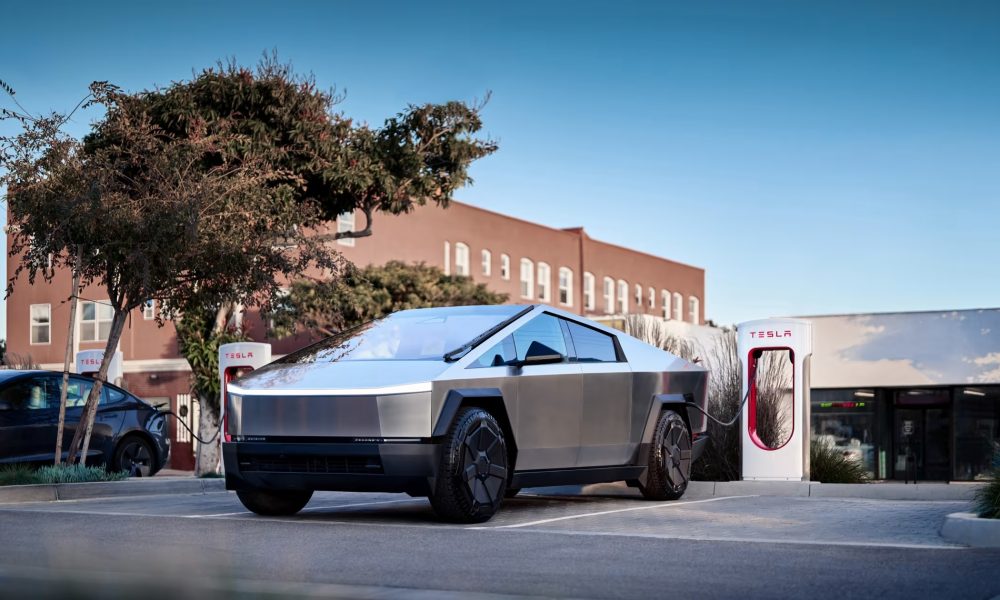
Tesla has introduced an enhanced visualization in its Supercharger navigation system, building directly on the Site Maps feature rolled out a few months ago.
This latest software update adds detailed 3D icons that represent specific vehicle models parked at charging stalls, offering drivers a more precise view of site occupancy and layout.
The Site Maps debuted in Tesla’s 2025 Holiday Update, providing 3D overviews of select Supercharger locations with real-time stall availability.
Tesla supplements Holiday Update by sneaking in new Full Self-Driving version
Drivers could see which spots were open, occupied, or out of service when navigating to supported stations.
Now, the system takes this capability further by rendering accurate representations of Tesla vehicles, including distinctions between models such as the Model 3, Model Y, Model S, Model X, and Cybertruck. These icons appear as lifelike 3D renderings, complete with recognizable shapes and proportions that match the actual cars charging at the site:
Supercharger update now shows type of Tesla at charger as well.
Pretty cool. pic.twitter.com/J3NRSIgM0m
— DennisCW | wen my L (@DennisCW_) June 2, 2026
This refinement improves the user experience during road trips and daily charging stops. As drivers approach a Supercharger, the navigation display now shows not just generic occupied markers but identifiable vehicle types plugged into each stall.
Blue indicators highlight active charging sessions, while other visual cues denote availability or maintenance status. The feature integrates seamlessly with the existing map interface, allowing quick assessment of the best available spot based on vehicle size and positioning.
Tesla continues to expand the availability of these detailed Site Maps across its global network. Initially piloted at a limited number of locations, the rollout has progressed steadily, with more stations gaining support in recent software versions.
Owners benefit from better planning, as the system helps identify compatible stalls and reduces uncertainty upon arrival. The update reflects Tesla’s ongoing commitment to refining its navigation and charging ecosystem through iterative software improvements.
In addition to model-specific icons, the enhanced maps maintain all prior functionalities, such as integration with nearby amenities and energy usage predictions. This ensures a comprehensive tool for efficient Supercharging.
As Tesla’s fleet grows and the network scales, such features play a key role in optimizing the overall ownership experience. Future updates may extend similar visualizations to additional sites and incorporate even more data points for drivers.
With this piggyback enhancement, Tesla demonstrates how small but thoughtful additions can elevate an already useful tool, making Supercharger visits smoother and more informed for its customers. The company is expected to broaden the feature’s reach in upcoming releases, further solidifying its leadership in EV charging infrastructure.
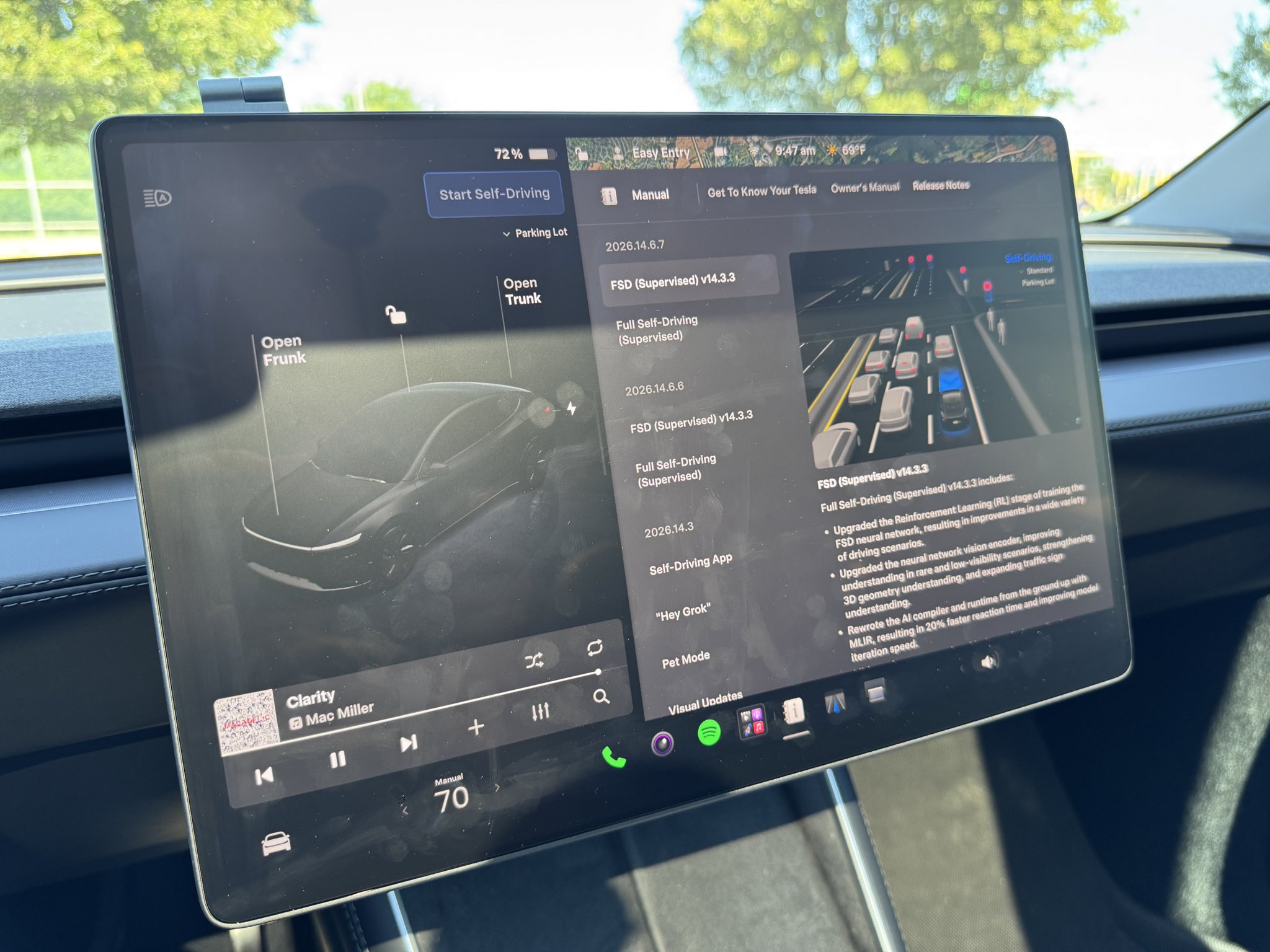
Tesla Full Self-Driving v14.3.3 driver monitoring was reportedly scaled back in recent releases, but a new version that was released in the early hours of June 3 aimed to do a better job of keeping those in control of their cars honest, according to release notes.
The release notes for FSD v14.3.3, via Software Version 2026.14.6.7 added:
“Improved driver monitoring system sensitivity with better eye gaze tracking, eye wear handling, and higher accuracy in variable lighting conditions.”
However, Tesla said this was already enabled in the first rollout of FSD v14.3.3 in late May. We tested it anyway, especially as the Standard Speed Profile seemed less-than-worried about what you were doing during operation.
I decided to try out the Hurry and Mad Max Speed Profiles for this test, and it gave me results that I would have expected. Tesla has evidently ramped up driver monitoring based on the Speed Profile you are using to travel.
The more aggressive the Speed Profile, the more on the hook you will be for taking your attention away from the road. Our testing showed that Mad Max was less likely to allow you to do normal things like change music or adjust navigation without getting an on-screen warning or nag from the driver monitoring system.
Hurry Mode Results
On Hurry, the driver monitoring system on FSD v14.3.3, via Software Version 2026.14.6.7, was more restrictive than Standard but less restrictive than Mad Max. I found that I could scroll through music options for a considerable amount of time, more than 30 seconds:
Roughly :31 between first touching the center screen and getting the first nag
— TESLARATI (@Teslarati) June 3, 2026
Standard gave me about 80 seconds of phone scrolling with absolutely no nags or warnings in a previous test. It is worth noting that this was a previous branch of v14.3.3, but Standard is such a goodie-two-shoes on the road that it is my impression it would not change much.
Here’s an 80-second phone nag test on Tesla FSD v14.3.3.
No alerts, no nagging, no annoyance. https://t.co/1dxvTOw5Cn pic.twitter.com/vYViFpjfoK
— TESLARATI (@Teslarati) May 29, 2026
Mad Max Results
I spent the majority of the drive on Mad Max to see how it truly reacted to the driver having their attention elsewhere. While I did do a short phone test, I am aiming to steer away from those and use the center screen. I think it is a valid criticism that the phone test is dangerous and, not to mention, illegal in Pennsylvania. Changing the navigation and music is a more reasonable, more responsible, and safer test.
With Mad Max being the fastest and most aggressive Speed Profile, I anticipated this being the quickest mode to give me an alert that I needed to look at the road. That was the case with music:
🎥 Testing Tesla FSD v14.3.3 (via 2026.14.6.7) nags on Mad Max https://t.co/qZALU2OujY pic.twitter.com/XddOJ0D47x
— TESLARATI (@Teslarati) June 3, 2026
As well as adjusting Navigation, when I received two nags:
🎥 Testing Tesla FSD v14.3.3 (via 2026.14.6.7) nag while adjusting navigation
Two nags here https://t.co/qZALU2OujY pic.twitter.com/xa3dtaDG1L
— TESLARATI (@Teslarati) June 3, 2026
These nags were more than reasonable, and I think it’s probably good that Tesla is ramping up the driver monitoring. I do believe that it should be relatively strict across all of the Speed Profiles, especially with phone use. When using the center screen, the nag intervals should be based on the speed profile you are utilizing at the time.
These driver monitoring adjustments are a great thing to have while FSD is still under its “Supervised” moniker, but I expect Tesla to continue pushing the limits on what it will allow, especially considering CEO Elon Musk has hinted that phone use is capable with the more recent versions.
You can watch the full drive on YouTube below:
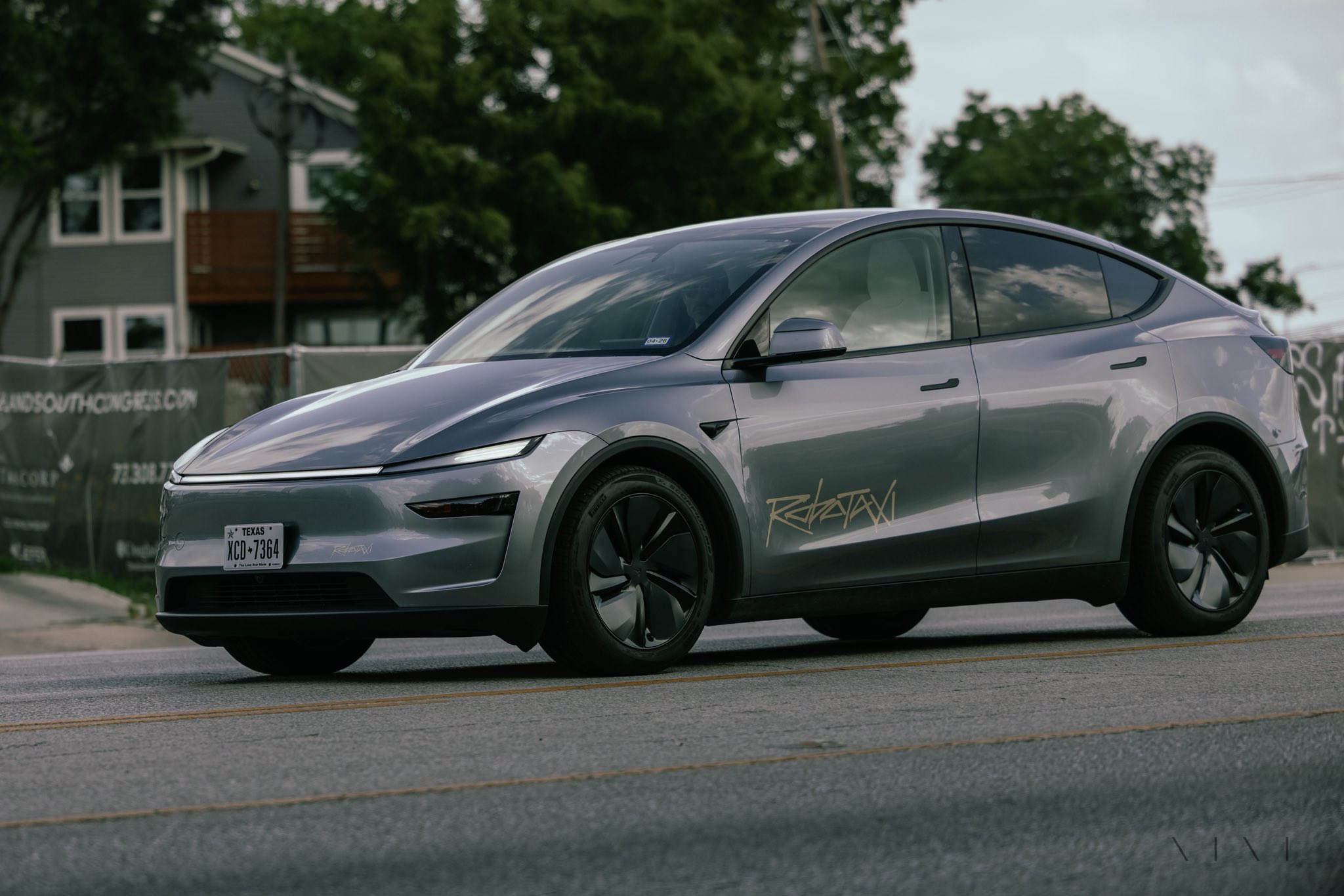
Tesla has responded to the skeptics of its Robotaxi program by launching a massive expansion of the unsupervised program in its initial rollout city of Austin.
The company’s geofence, the enabled area of operation for rides, now covers the entire Austin Metropolitan area, an incredible move just days after media headlines attempted to discredit the ride-hailing service.
Those who have access to the Tesla Robotaxi app on their smartphones can now request a ride in any portion of the Austin Metro area. The company confirmed this on the social media platform X:
Unsupervised Robotaxi now in the entire Austin Metro area https://t.co/eXNBdarvVS
— Tesla Robotaxi (@robotaxi) June 3, 2026
This is Tesla’s fifth expansion of the geofence, with the others occurring in July, early August, late August, and late October 2025. It has remained at that size since October 26, but Tesla has now more than doubled that size.
It is now covering the entire area, including suburbs like Pflugerville and Manor, as well as I-35 highways, Gigafactory Texas, and the Austin-Bergstrom Airport.
The move comes just days after various media outlets highlighted the small fleet size of Tesla’s Robotaxi fleet in Austin, something that is a reasonable criticism but an understandable move on the company’s part to prioritize safety.
Tesla has expanded its Robotaxi geofence many times, but its fleet has remained at a relatively conservative size as the company continues to push safety as its most crucial metric.
The latest expansion is a key indicator of Tesla’s comfort level to expand the ride-hailing service. The move shows Tesla is scaling unsupervised autonomy, as it demonstrates that the company’s Full Self-Driving system has reached sufficient reliability for a broader real-world deployment, which is something the company has worked on extensively.
It also shows Tesla is game for a competition with its rivals in the autonomous ride-hailing sector. Tesla has often matched or exceeded competitors like Waymo in coverage area, despite its smaller fleet. This step highlights Tesla’s iterative, data-driven progress toward a high-margin, app-based Robotaxi network.
It’s not the absolute largest area expansion ever, but achieving full unsupervised operations across a major metro is a key moment in the Robotaxi story. It shifts the program from limited pilot/testing toward a more mature commercial service, while gathering the miles needed for faster growth.

Tesla piggybacks recent Supercharger feature with update that takes it further

Tesla Full Self-Driving v14.3.3 driver monitoring: We tested it


