Tesla Model S
Tesla S60 vs S85: Feature Comparison

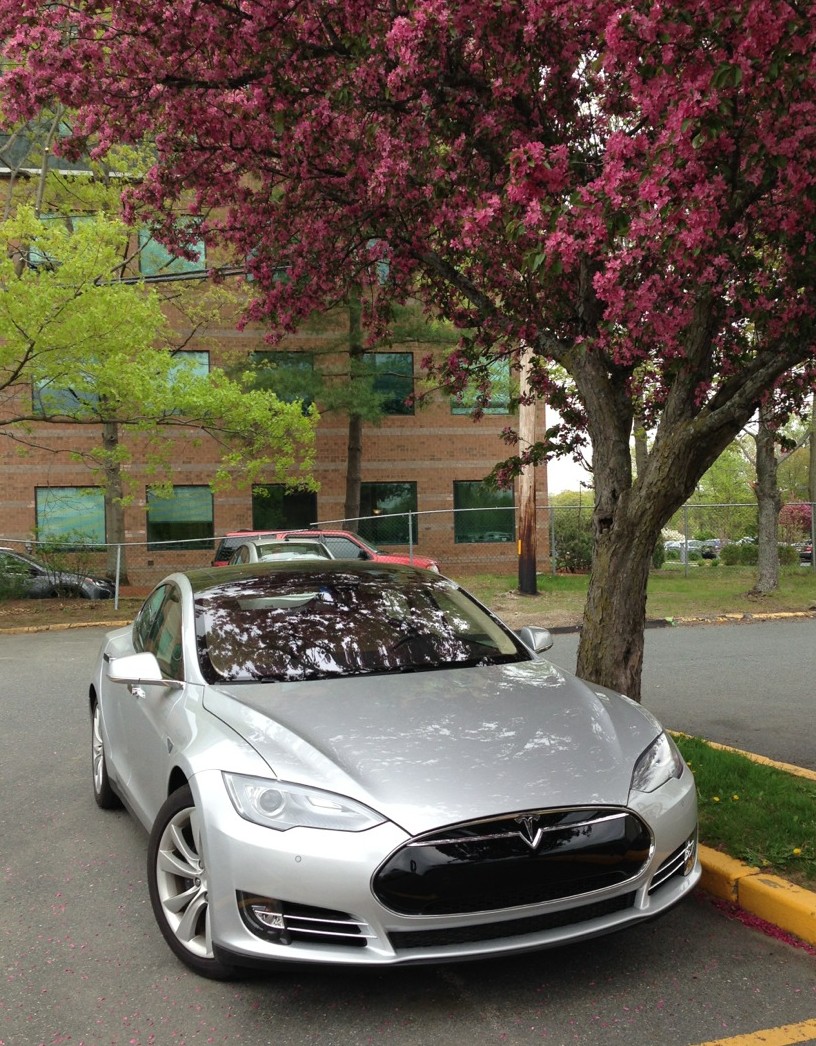
 I had the opportunity to compare the Tesla Model S 60 which I received as a service loaner against my S 85. The loaner was in silver which I never even considered. The silver color swatches in the Tesla store never looked all that great to me, however I can tell you that a silver Model S looks great in person.
I have no regrets on choosing the grey over silver but this re-enforces the fact that you should always try and see the cars in person at your local Tesla delivery center, especially if you’re on the fence between two colors.
Tesla S 60 Performance
The S60 has the smallest battery amongst the Model S line up. Right off the bat I can tell the units of measurement on the dash are a bit different than the S 85 which likely takes into account this lower capacity and differences in regenerative braking capabilities. I didn’t notice much of a performance difference between the the S60 and S85 but then again I didn’t push it too hard. The car was plenty fun to drive.
I didn’t buy the S85 for faster 0-60 times. Rather I bought it for the extended range capabilities. I think the performance of the S60 would have been perfectly fine for me had I taken that route.
Regenerative Braking
A surprising character of the S60 is that its regenerative braking is much less aggressive than that of the S85 even when set in “Standard” mode. I love the way regenerative braking slows my S85 down to the point that I rarely need to use the brakes at all, but the S60 just didn’t have that same feel.
Handling
The loaner S60 was equipped with the Smart Air Suspension package which I opted not to get on my S85. The feature currently costs $2,250 USD at the time of order.
I played with raising and lowering the ride height of the car while the it was parked. The doors can not be open when you toggle through ride heights and as a result it’s a bit difficult to observe.
The changes in ride height are pretty small — just a few inches, but nonetheless it was cool to be able to raise and lower the car from the touch screen.
 The low setting is definitely lower than a Model S with the standard suspension.
“it was cool to be able to raise and lower the car from the touch screen.”
The high and normal setting appeared to be equivalent in height to the standard suspension, at least at a glance. While that extra bit of height may help with in situations when ground clearance is absolutely needed, I’ve never had an issue bottoming out or clearing a reasonable curb with my standard suspension. The bottoming out argument seems like a pretty invalid reason to buy this option to me.
I tried driving around with the various settings and some seemed to reset themselves after the car began moving. I didn’t get a whole lot of time to play with each setting, but you could feel the difference in ride height while driving. I can’t say that I preferred one setting over another with the time I had. I also didn’t get a chance to play with the jack mode.
MUST READ: Revealing the Most Popular Tesla Model S Configuration
The ride felt smoother on the S60 than my S85. Whether this was due to the smart air suspension or perhaps the difference in the weight is unknown to me, but I did like the way the S60 handled a bit better than my S85 with the standard suspension. After switching back to my S85 I was still very happy with its handling and didn’t miss the air suspension.
I had active suspension in my MDX and on that car it was a barely noticeable gimmick. On the Model S air suspension seems to be much more “real” but also seems to me to be less practical than other options. Also maintenance costs on active suspension options are notoriously high which was the main reason I skipped the option.
Features
 The S60 was equipped with the upgraded with the Ultra High Fidelity Sound System. I’m not an audiophile by any means and other than a visible “dolby” logo on one of the screens along with an XM option for radio I couldn’t tell any difference in the sound or function. Unfortunately the XM radio (and Slacker!) in the loaner were not configured so I couldn’t try out those services. I never considered getting the better sound system and have no regets there. The standard sound system on the Model S is excellent.
ALSO SEE: Tesla Center Console Insert Review
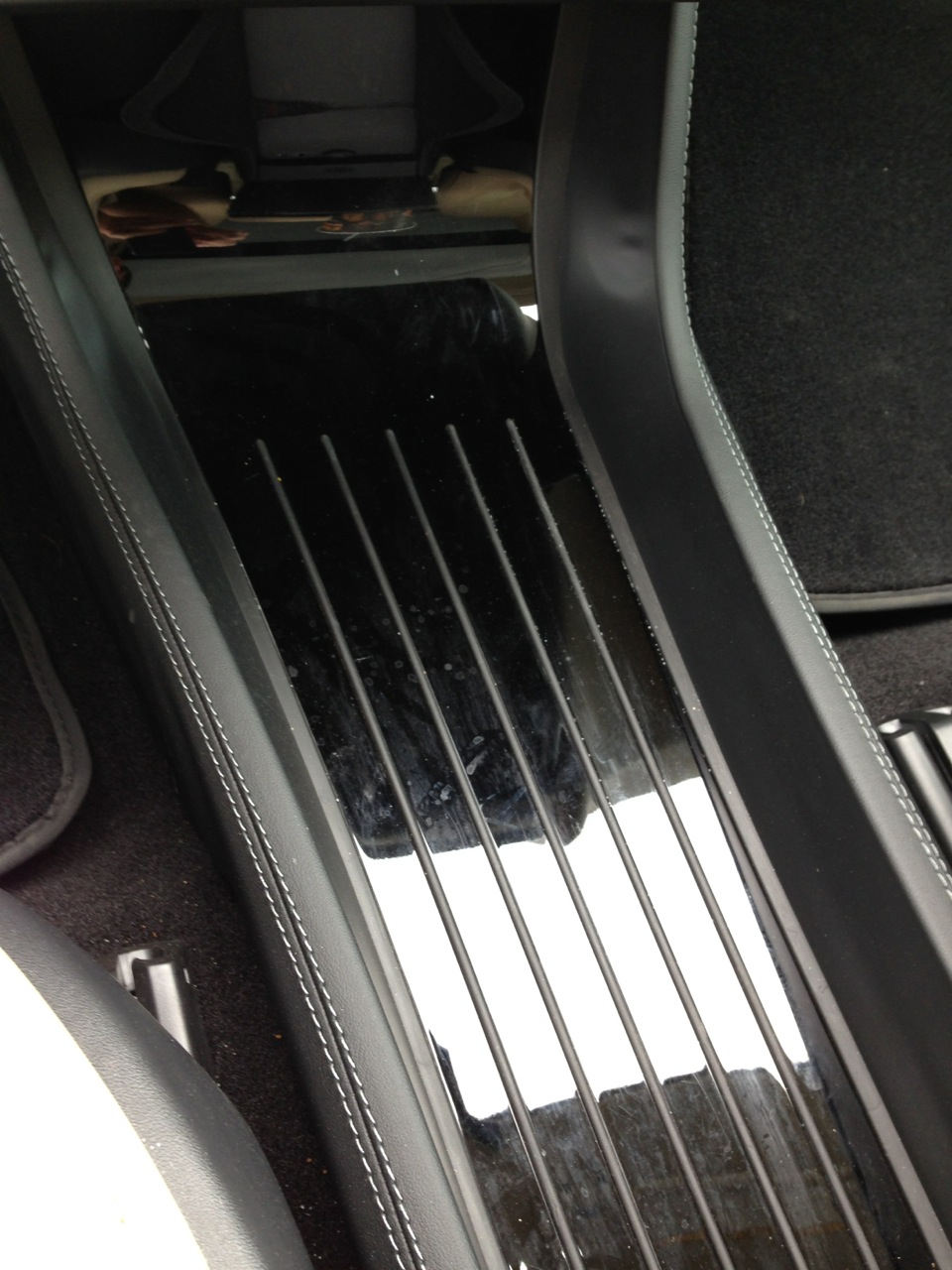
The S60 also had the yacht floor installed. Depending on what decor you have the price for this can range from $650 to $850 US. I really didn’t like this at all. I found things still slid around on the yacht floor despite the rubber “rails” and the gloss black version they had installed showed all sorts of dirt/dust. Personally i’d like either a real center console or an all weather mat insert for this area. I think the yacht floor is a complete waste of money.
Summary
It was great of Tesla to lend me a car while they did the service and I really enjoyed being able to check out some extra features on my own time. I was really hoping for a loaded P85+ to review or even a Roadster but no such luck this time. Overall my impressions of the S60 loaner left me very happy with the choices I made for my own car and I was happy to get it back quickly.



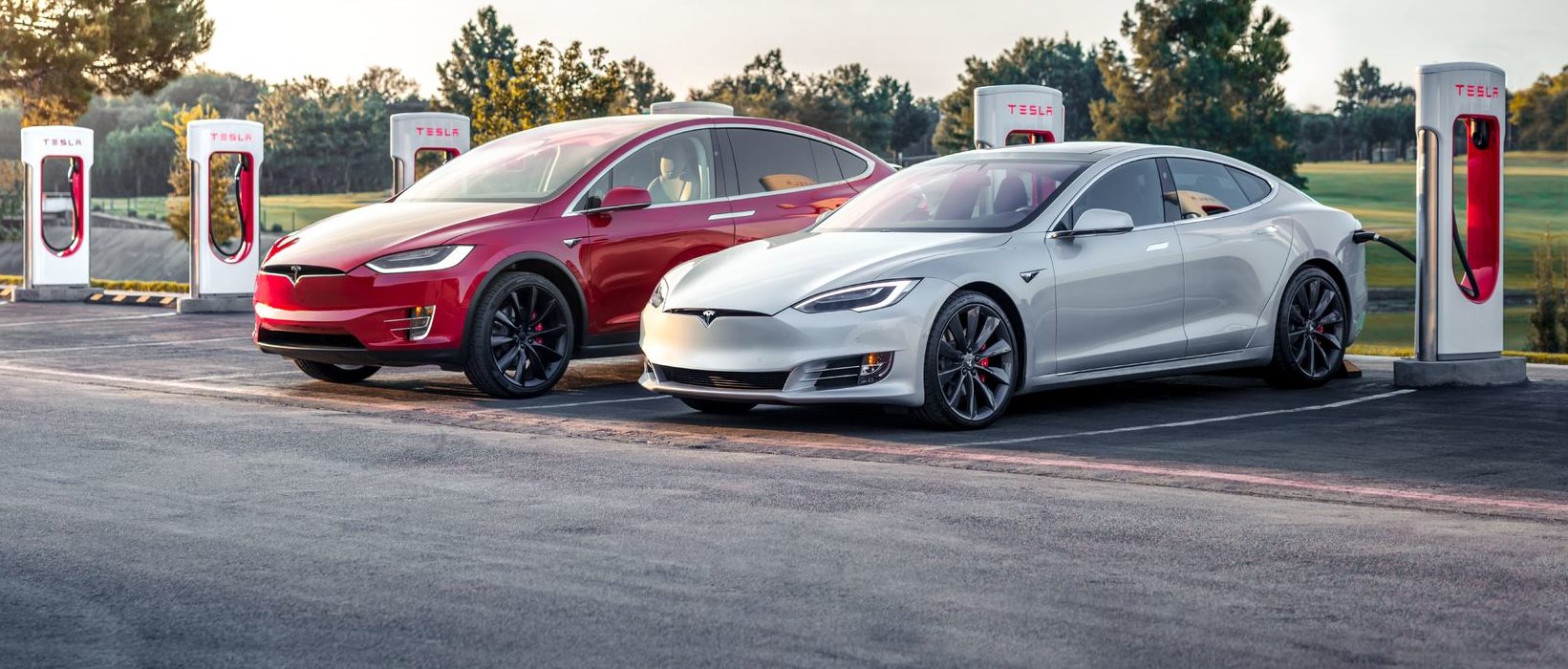
Tesla’s two recently-defunct flagship models, the Model S and Model X, are getting a big upgrade, according to the company’s Head of AI, Ashok Elluswamy.
Older Hardware 3 Model S and Model X vehicles have been the last major holdouts in Tesla’s Full Self-Driving v14 Lite rollout, and that wait now appears to be ending.
Tesla brings closure to flagship ‘sentimental’ models, Musk confirms
At Tesla’s Cybercab launch, AI chief Ashok Elluswamy told Ryan McCaffrey that he thought the S and X build “was supposed to go out last week.” Evidently, Elluswamy expects the suite to be rolled out to those HW3 Model S and Model X very soon:
For my @Tesla friends – and specifically Model S & X owners with HW3 who are waiting on FSD v14 Lite – I spoke to @aelluswamy at the Cybercab launch, & when I asked for an ETA on v14 Lite for S/X owners, he said, “Oh, I thought it was supposed to go out last week.”
So: soon! 🙌
— Ryan McCaffrey (@DMC_Ryan) September 7, 2026
Those cars are not the current Model S and Model X, which already ship with Hardware 4. They are the pre-refresh flagships built around Tesla’s older Autopilot computer, often called HW3 or AI3.
Tesla stopped putting that computer in new vehicles years ago, which is why owners treat these S and X cars as a closed generation. Model 3 and Model Y vehicles on the same computer began receiving v14 Lite in late June 2026 and saw a wider North American expansion in July. South Korea followed as an early international market. The S and X versions of the same software never joined that wave.
v14 Lite is Tesla’s way of squeezing the current v14 driving stack onto hardware that cannot run the full AI 4 model. The company describes the process as distillation: behaviors learned on the newer computer, including reinforcement learning and offline models, are compressed so the older chip and cameras can use them as a guide.
Early descriptions put the distilled network at roughly 15 percent of the original size. The result is still supervised Level 2 driving. Tesla has been clear that HW3 cannot support unsupervised Full Self-Driving or robotaxi operation because of memory and bandwidth limits.
The feature list is what made the wait so frustrating for S and X owners, as plenty of new features are to be shipped with it.
Official notes for the first Lite build, firmware 2026.20.5.1, added parking, unparking, and reversing; arrival options for a parking lot, street, driveway, or curbside; speed profiles that stay available at all times; and start-from-park engagement. Tesla also claimed better handling of merges, forks, pedestrians, traffic lights, and cut-ins, plus fewer false slowdowns and smoother lane centering.
A mid-July follow-on build, 2026.20.6.10, added more of the Hardware 4 interface, including a standalone Self-Driving app and the ability to start a trip from Park without a brake-pedal confirmation.
Elluswamy called that version the one “likely going to wide release.”
That wide release already reached most other HW3 cars in the United States and Canada. International timing still depends on regional validation and regulatory approval. For S and X owners, the remaining work appears to be model-specific validation rather than a new software stack.
There is no official Tesla changelog or build number for those two models yet, only Elluswamy’s offhand timeline. Some HW3 drivers who already have Lite report large gains over v12.6; others have described new indecision or phantom braking. The next test will be whether the same software lands cleanly on the older flagships that have waited the longest.
Firmware
Tesla unlocks in-car web conferencing to extend Google Meet, Teams and beyond
Tesla’s Summer Update lets owners join Google Meet, Teams, and Discord calls via cabin camera.

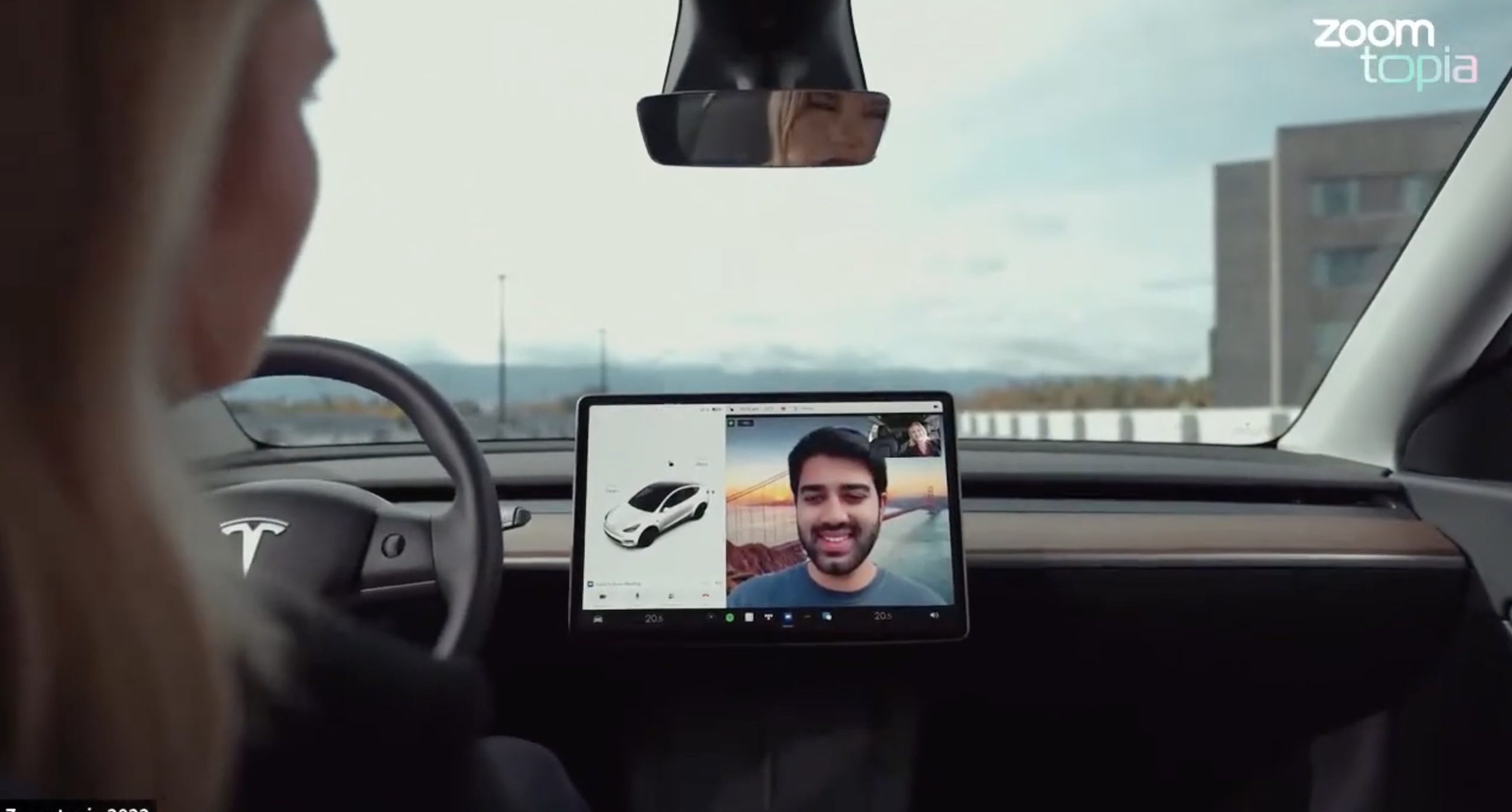
Tesla’s 2026 Summer Update, which just began rolling out to customer vehicles, now links the built-in web browser with the in-cabin camera feed and microphone input, thereby letting owners join video calls on nearly any browser-based service instead of just Zoom.
The change appears in Tesla’s own release notes for software version 2026.26 under “Web Browser,” which states that the vehicle can now use its interior camera and cabin microphone when a website requests access, with permission granted the same way a desktop browser handles it. As NotATeslaApp notes, this feature opens the door to Google Meet, Microsoft Teams, Discord, and other webcam-enabled sites to activate the in-car cabin-facing camera. The feed automatically crops and zooms to center the driver in frame.
Tesla has offered in-car video calling before, but only through a dedicated Zoom app that launched at the end of 2022, a stripped-down browser preloaded with Zoom’s own web client and gated behind Premium Connectivity. Opening the full browser to any camera-requesting site removes that walled garden. Elon Musk first called video conferencing “definitely a future feature” back in 2020, when the pandemic pushed remote meetings into daily life, so this update effectively finishes something Tesla has been promising for six years.
Tesla Summer Update begins rolling out: a look at the new features
The feature keeps the same restrictions that applied to Zoom on Tesla vehicles. It only works while the car is parked; shifting into Drive disables the camera feed, according to the release notes. It is also limited to vehicles running Tesla’s AMD Ryzen infotainment hardware, meaning older Intel-based Model S and Model X units, along with early Model 3 and Model Y builds, don’t get it.
Turning the browser into a general entry point for the in-cabin camera, rather than routing everything through one local app, widens the number of third-party sites that can ask for access, even though Tesla’s permission prompt.
With the Summer update only days into its rollout, be sure to stay with us on TikTok and X to see the latest video demonstrations.
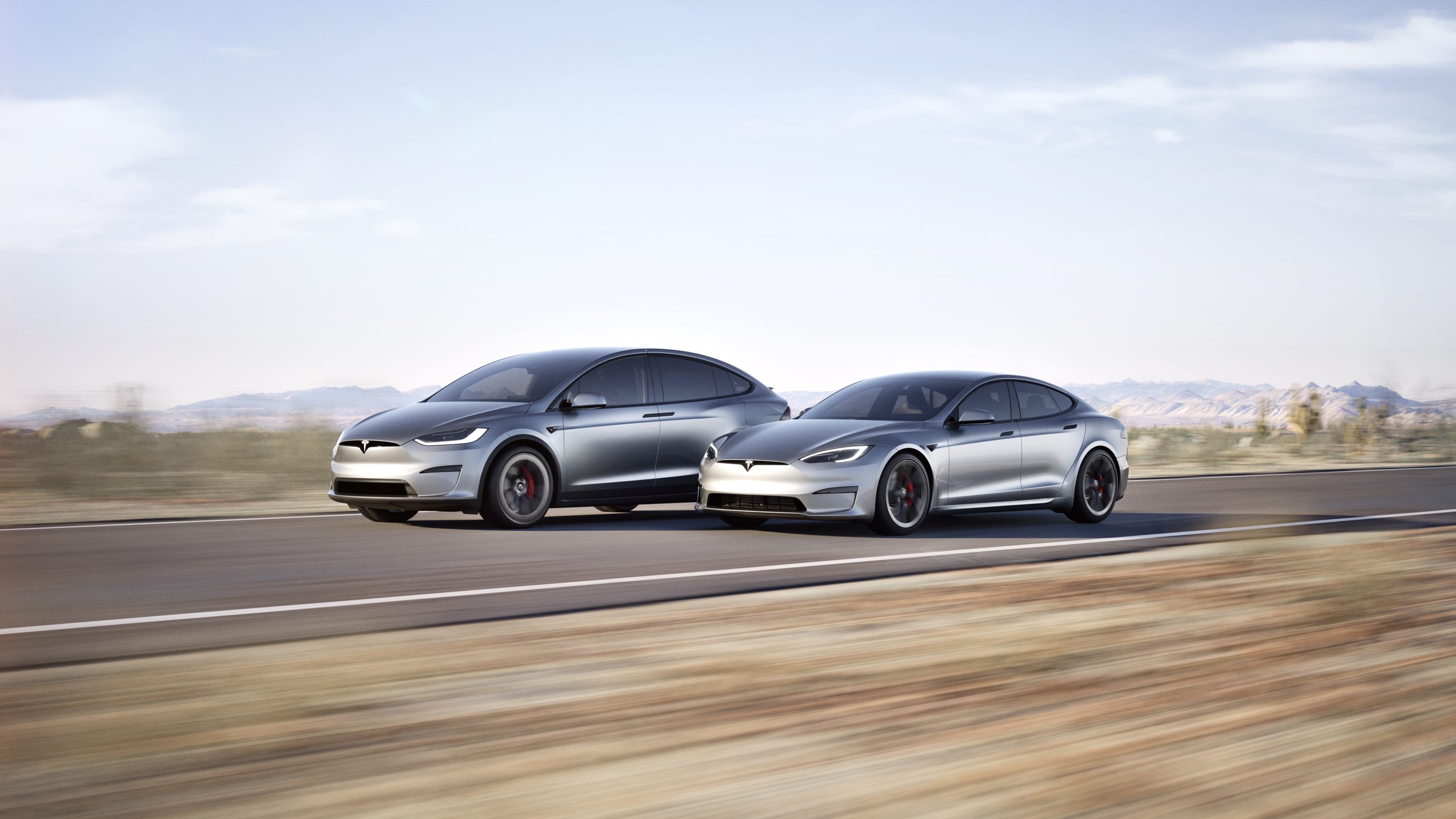
In a move echoing its earlier commitment to open innovation, Tesla CEO Elon Musk announced recently that the company plans to make the design and software of its Model S and Model X fully open source.
This follows the same approach Tesla took with its original Roadster, releasing all available design, engineering, and diagnostic materials in November 2023 so that “whatever we have, you now have.”
Just as Tesla made the original Roadster design & software open source, we plan to do the same with Model S & X
— Elon Musk (@elonmusk) July 24, 2026
The Model S, introduced in 2012, was Tesla’s first mass-produced vehicle and a groundbreaking luxury electric sedan. It offered impressive range, rapid acceleration, and over-the-air software updates that redefined expectations for electric cars.
The Model X, launched in 2015, built on that foundation as a high-performance electric SUV notable for its distinctive falcon-wing doors, spacious interior, and advanced safety features. Both models served as flagships that helped establish Tesla as a leader in the EV industry and popularized long-range battery-electric vehicles.
Production of the Model S and Model X was wound down earlier in 2026, with manufacturing ending in the second quarter. Tesla redirected the Fremont factory space previously used for these vehicles toward higher-priority projects, including Optimus humanoid robots and the Cybercab autonomous vehicle.
By the time of Musk’s open-source announcement, custom orders had closed and only remaining inventory was available.
Open-sourcing the designs and software offers several clear advantages. Owners of these aging but still capable vehicles gain better access to technical documentation, diagnostic tools, and software resources, making independent repairs and modifications easier and more affordable.
Independent repair shops and third-party specialists can support the large existing fleet without relying solely on Tesla’s service network. Enthusiasts and engineers can study real-world implementations of Tesla’s battery, powertrain, and software systems, potentially accelerating broader industry progress in electric mobility.
The step aligns with Tesla’s 2014 patent pledge and its overall mission to advance sustainable transport by sharing hard-won knowledge rather than locking it behind proprietary walls.
By releasing these materials now that the models have left production, Tesla ensures continued support for its early adopters while freeing internal resources for future technologies. The open-source release of the original Roadster already enabled simulations, community projects, and deeper technical understanding.
Extending that practice to the Model S and Model X should deliver similar benefits on a larger scale, helping keep these influential vehicles relevant and repairable for years to come

Tesla is ending Cybertruck production

SpaceX’s next Starship flight set to make history on Friday the 13th


